
Getting Started Guide
In Minutes
Introduction
What is Tuigen?
Tuigen is a cloud-based Tuition Management Software designed for tuition centers, coaching institutes, and educational organizations of all sizes.
How We Can Help
Tuigen helps tuition center owners manage their entire operation from one powerful dashboard. From student enrollment to fee collection and performance tracking, Tuigen automates daily tasks so you can save time, reduce manual work, and focus on growing your tuition business.
How it Works

1. Add Students & Teachers
Easily add students and teachers individually or upload them in bulk. Store profiles, class details, and contact information securely in one place.
2. Schedule Classes & Attendance
Create class schedules in seconds, manage timetables, and track student attendance automatically. Parents and students can stay updated in real time.
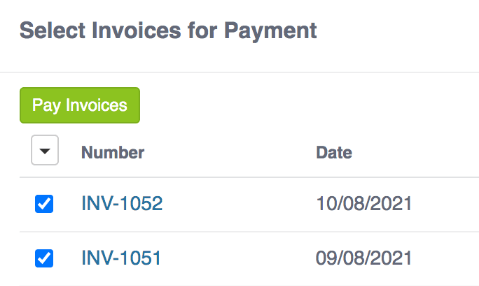
3. Manage Fees & Payments
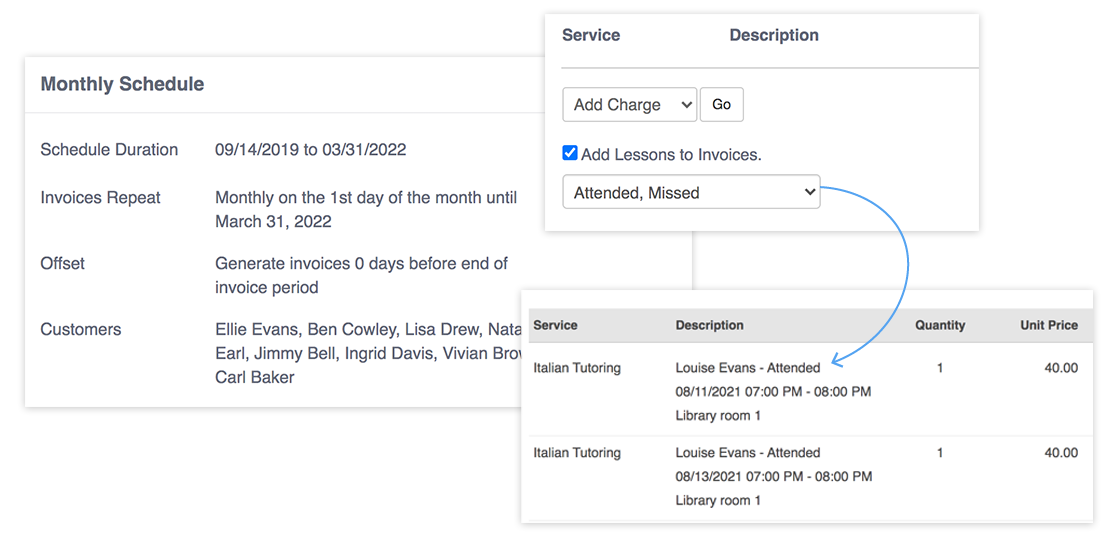
Generate invoices, track payments, and automate fee reminders. Accept online payments and eliminate missed or late fee collections.

4. Track Performance & Grow
Analyze student progress, class performance, and business reports. Use insights to improve operations and scale your tuition center with confidence.
Overview
1. Add Teachers and Students
When you open a Teachworks account, your account will be the Admin account. You can then add additional profiles for Administrative Staff, Teachers, Families and Students using one of the methods below:
- Complete profile management
- Document storage & management
- Complete profile management
- Document storage & management
- Complete profile management
Student Profile
Hourly Billing: Lesson costs are calculated using the Service List, or a cost is set on the student’s profile.
Teacher Profile
Hourly Billing: Lesson costs are calculated using the Service List, or a cost is set on the student’s profile.
2. Schedule Lessons
When you open a Teachworks account, your account will be the Admin account. You can then add additional profiles for Administrative Staff, Teachers, Families and Students using one of the methods below:
- Complete profile management
- Document storage & management
- Complete profile management
- Document storage & management
- Complete profile management
3. Generate Invoices
When you open a Teachworks account, your account will be the Admin account. You can then add additional profiles for Administrative Staff, Teachers, Families and Students using one of the methods below:
- Complete profile management
- Document storage & management
- Complete profile management
- Document storage & management
- Complete profile management
Automate
1. Invoice Autopilot Add-on
When you open a Teachworks account, your account will be the Admin account. You can then add additional profiles for Administrative Staff, Teachers, Families and Students using one of the methods below:
- Complete profile management
- Document storage & management
- Complete profile management
- Document storage & management
- Complete profile management
2. Processing Payments
Teachworks makes it easy to record payments manually. To speed up the process and offer convenient payment options to your clients, you can use our Stripe Integration to process credit cards and manage ACH payments (for US customers only).
Stripe Integration
When you open a Teachworks account, your account will be the Admin account. You can then add additional profiles for Administrative Staff, Teachers, Families and Students using one of the methods below:
- Complete profile management
- Document storage & management
- Complete profile management
- Document storage & management
- Complete profile management
Bulk Invoice Payments
When you open a Teachworks account, your account will be the Admin account. You can then add additional profiles for Administrative Staff, Teachers, Families and Students using one of the methods below:
Can I use a different payment processor?
When you open a Teachworks account, your account will be the Admin account. You can then add additional profiles for Administrative Staff, Teachers, Families and Students using one of the methods below:
3. Automated Notifications
Teachworks includes a range of fully customizable SMS and email notifications that can be sent out automatically. This includes:
- Complete profile management
- Document storage & management
- Complete profile management
- Document storage & management
- Complete profile management
Can I use a different payment processor?
When you open a Teachworks account, your account will be the Admin account. You can then add additional profiles for Administrative Staff, Teachers, Families and Students using one of the methods below:
Customize
1. Integrations, Add-ons & Settings
Teachworks has hundreds of customizable settings and more than 50 free integrations and add-ons that you can use to build an account that works perfectly for your specific needs.
Settings
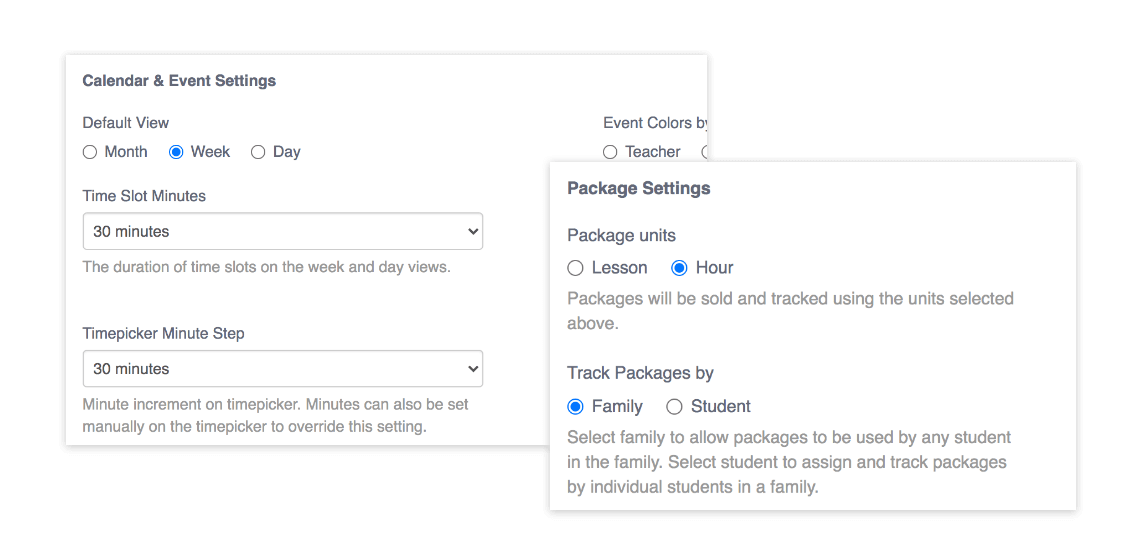
There are hundreds of settings for customizing your account and most can be found under the Account & Settings tab. Our Integrations & Add-ons also come with their own set of settings that you can customize for your specific needs.
Integrations & Add-ons
There are hundreds of settings for customizing your account and most can be found under the Account & Settings tab. Our Integrations & Add-ons also come with their own set of settings that you can customize for your specific needs.
2. Customizable Reports
When you open a Teachworks account, your account will be the Admin account. You can then add additional profiles for Administrative Staff, Teachers, Families and Students using one of the methods below:
- Complete profile management
- Document storage & management
- Complete profile management
- Document storage & management
- Complete profile management
- Pages in Teachworks are downloadable, so you can download data to Excel for further analysis.
Can I save report settings?
When you open a Teachworks account, your account will be the Admin account. You can then add additional profiles for Administrative Staff, Teachers, Families and Students using one of the methods below:
Wrap Up
1. Important Resources
We have many resources to help you through the setup process. Whether you’re in a rush or you need some quick information, we’ve got you covered!
Contacting Support
When you open a Teachworks account, your account will be the Admin account. You can then add additional profiles for Administrative Staff, Teachers, Families and Students using one of the methods below:
2. Popular Getting Started Questions
We have many resources to help you through the setup process. Whether you’re in a rush or you need some quick information, we’ve got you covered!
Is it easy to switch to Teachworks?
Teachworks offers many features that will simplify and speed up the switching process.

1. Choose a Date
Add students and teachers one at a time or import them in bulk.

2. Import Clients, Employees & Services
Add students and teachers one at a time or import them in bulk.

3. Set Up Starting Balances
Add students and teachers one at a time or import them in bulk.
1. Important Resources
We have many resources to help you through the setup process. Whether you’re in a rush or you need some quick information, we’ve got you covered!
Is support included?
We have many resources to help you through the setup process. Whether you’re in a rush or you need some quick information, we’ve got you covered!